
Technical Readiness
Is your website blocking AI crawlers? A 10-minute check
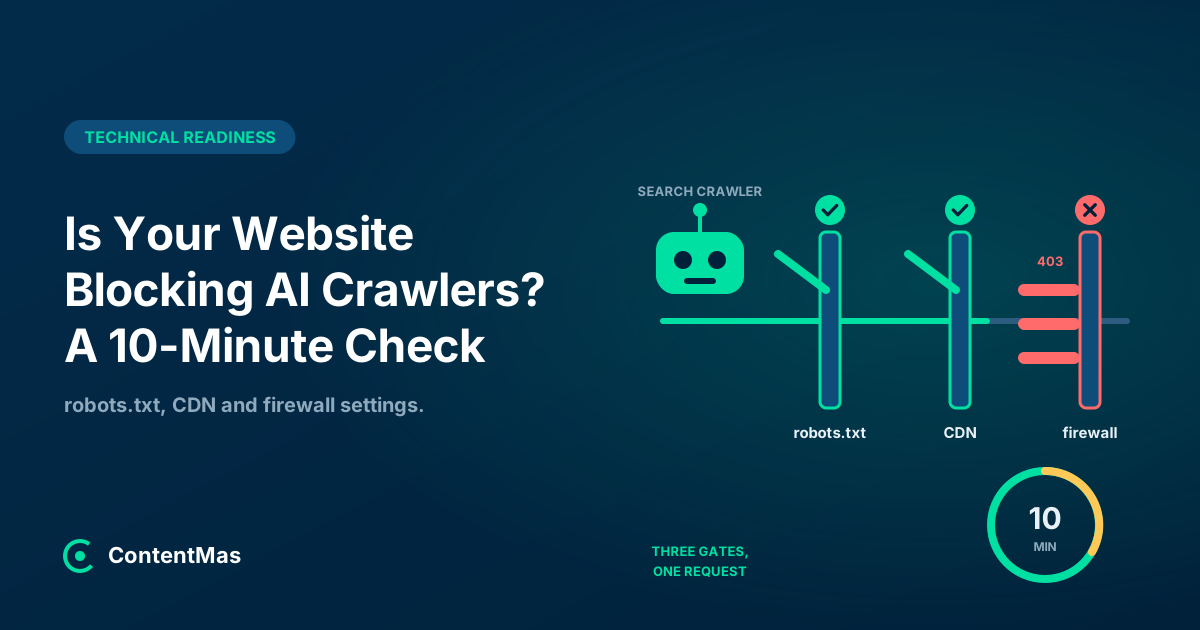
A website can block AI crawlers in robots.txt, in its CDN bot settings or in a firewall, often without anyone deciding to. Three checks that take 10 minutes.

Summarize with AI
Short on time? Open this article in your AI assistant with a ready-made prompt.
- ChatGPT (opens in a new tab with a summary prompt)
- Perplexity (opens in a new tab with a summary prompt)
- Grok (opens in a new tab with a summary prompt)
Claude and Gemini open with the prompt copied: paste it to start.
On this page
- Where can a website block AI crawlers?
- Which AI crawlers decide whether you get cited?
- Step 1: What does your robots.txt actually say? (3 minutes)
- Step 2: What did your CDN decide for you? (3 minutes)
- Step 3: Does your firewall let the crawler through? (3 minutes)
- What should you allow and what should you block?
- How does ContentMas help with blocking AI crawlers?
- Key takeaways
- Frequently asked questions
Short answer
In short: blocking AI crawlers can happen in three places: the robots.txt file, the CDN's bot settings, and the server firewall or security plugin, and most owners only ever check the first. The settings were often chosen by a host or a default, not by you: Cloudflare now gives a new domain one of two presets depending on whether it shows ads, and migrated every old "Block AI Bots" domain to new rules in September 2026,1 and Google's own advice for appearing in AI features is to make sure "crawling is allowed in robots.txt, and by any CDN or hosting infrastructure."2 Each AI company runs separate crawlers for training, search and user requests, each with its own switch,3 so the check confirms that the crawlers which decide whether you get cited are not caught in a rule meant for something else. The three steps below take about ten minutes.
You read that AI assistants send visitors, you check, and your site never appears. The robots.txt looks harmless, so the conclusion is "our content is not good enough."
Often the crawler never got in. A CDN switch chosen at sign-up, a security plugin that blocks "bad bots" by user agent, or a rate limit that returns 403 to anything that fetches quickly can shut out the search crawlers of ChatGPT, Claude, Perplexity and Google without a single line in robots.txt.
This guide covers access only. Whether the crawler can read what it finds (JavaScript, noindex, redirects) is the subject of the 10-minute technical check.
Where can a website block AI crawlers?
In three layers, and a crawler has to pass all three. The first is advisory, the other two are enforced.
| Layer | What it does | Who usually set it | How a blocked crawler sees it |
|---|---|---|---|
| robots.txt | Asks crawlers to stay out of paths or the whole site | Developer, SEO plugin, or the CDN on your behalf | Reads the rule and leaves (if it obeys) |
| CDN bot settings (Cloudflare, Vercel and others) | Blocks or challenges requests by bot category before they reach your server | Whoever set up DNS, or a default at sign-up | 403, a challenge page or a dropped connection |
| Firewall, WAF, security plugin, rate limits | Blocks by user agent, IP range or request speed on the server | Hosting provider or a security plugin | 403, 401, 429 or a timeout |
The first layer is voluntary by design. Crawlers that fetch a page because a person asked for it say so in their own documentation: OpenAI notes that for ChatGPT-User "Because these actions are initiated by a user, robots.txt rules may not apply,"3 and Perplexity says of Perplexity-User that "Since a user requested the fetch, this fetcher generally ignores robots.txt rules."4 The second and third layers are where sites get blocked without meaning to, because the rules there are written for "bots" in general.
What robots.txt says and what the server does are two different things, in both directions. The check has to cover both.
Which AI crawlers decide whether you get cited?
The search and user crawlers, not the training crawlers. Every major AI company splits its traffic into separate user agents, and each one has its own setting.
| Company | Training crawler | Search or index crawler | User-triggered fetcher | What the docs say |
|---|---|---|---|---|
| OpenAI | GPTBot | OAI-SearchBot | ChatGPT-User | "Each setting is independent of the others"; sites opted out of OAI-SearchBot "will not be shown in ChatGPT search answers"3 |
| Anthropic | ClaudeBot | Claude-SearchBot | Claude-User | Disabling Claude-SearchBot "may reduce your site's visibility and accuracy in user search results"6 |
| Perplexity | None listed; PerplexityBot "is not used to crawl content for AI foundation models" | PerplexityBot | Perplexity-User | Recommends allowing PerplexityBot and its published IP ranges4 |
| Google-Extended (a robots.txt token only) | Googlebot | Not covered here | Robots.txt rules for Googlebot are "the control" for AI Overviews and AI Mode2; Google-Extended "does not impact a site's inclusion in Google Search"7 |
Two details matter for the check. First, a site that opts out of OAI-SearchBot can "still appear as navigational links," but not in search answers,3 so a block on the wrong bot does not look like a block in your logs: the traffic just never comes. Second, Google-Extended "doesn't have a separate HTTP request user agent string"; "the robots.txt user-agent token is used in a control capacity."7 A firewall rule can never match it, and a robots.txt rule for it changes nothing about Search: it only controls whether Google uses your pages for training and grounding its Gemini models.7
Blocking training crawlers is a legitimate choice. The mistake is a rule written for GPTBot or "AI bots" that quietly catches OAI-SearchBot, Claude-SearchBot and PerplexityBot with it.
Step 1: What does your robots.txt actually say? (3 minutes)
Open yourdomain.com/robots.txt in a browser, then fetch it from the command line to see the status code a crawler gets:
curl -s -o /dev/null -w "%{http_code}\n" https://yourdomain.com/robots.txt
curl -s https://yourdomain.com/robots.txt
Look for four things.
1. Blanket rules
User-agent: * followed by Disallow: / blocks every crawler that obeys it, search engines included. A Disallow: / under a named AI bot blocks only that bot. Read every User-agent block: a rule for GPTBot is fine if you meant it, a rule for OAI-SearchBot or PerplexityBot means you have opted out of being cited.
2. Lines you did not write
Your CDN may add to this file, and take away from it. HasData found an AI opt-out directive in the archived robots.txt of 118 Cloudflare-fronted sites in July 2026 and on none of those sites on 16 September 2026; among sites behind Cloudflare the share disallowing GPTBot fell from 17.1% to 9.9% between the two snapshots, while sites not behind Cloudflare moved from 18.7% to 18.6%.5 If a line appears or disappears that you never edited, the setting that generates it lives in the CDN dashboard, not in the file.
3. The status code
Google treats "all 4xx errors, except 429, as if a valid robots.txt file didn't exist," so a missing file means no restrictions.8 A 5xx is the opposite: "For the first 12 hours, Google stops crawling the site but keeps trying to fetch the robots.txt file," then uses the last good version for up to 30 days.8 A robots.txt that times out or returns a server error because of a firewall rule is a site-wide crawl stop, and it looks like a normal file in your browser.
4. How long a change takes
Google "generally caches the contents of robots.txt file for up to 24 hours."8 OpenAI says "it can take ~24 hours from a site's robots.txt update for our systems to adjust" for search,3 and Perplexity says changes may take "up to 24 hours" to be reflected.4 Fix the file, then wait a day before judging the result.
Step 2: What did your CDN decide for you? (3 minutes)
Open the bot or AI crawler section of your CDN dashboard and read the current state of each category. This is where a decision was most likely made without you.
Cloudflare
Cloudflare replaced its one-click "Block AI Bots" switch with three policies: "Search - crawling to build a search index," "Training - crawling to train or fine-tune a model," and "Agent - user-directed agents visiting a page on behalf of a human."1 Since 15 September 2026, a new domain is offered one of two presets. A site that "does not monetize using ads" gets Search, Training and Agent all set to Allow; a site "monetized using ads" gets Search Allow, Training "Disallow AI Training" and Agent "Block on pages with ads."1
Existing customers were migrated. A domain that never touched the granular controls and had the legacy "Block AI Bots" switch on now has Search Allow, Training Disallow AI Training, and Agent Block on pages with ads.1 That is good news for anyone who turned the switch on in 2025 and later wondered why ChatGPT stopped citing them: search crawling is allowed again. But read the Search row yourself, because "Block and Block on pages with ads now apply to mixed-use crawlers, including Applebot, Bingbot, and Googlebot," so "either setting impacts search as well as training."1 A Block on Search hides you from Google too. To keep search and stop training, the setting is Disallow AI Training: "Under Disallow AI Training they can keep crawling your site for search."1
Vercel
Vercel's AI Bots Managed Ruleset is "inactive by default," shown as Allow, and lets you "block AI Crawlers or AI Assistants categories independently."9 The categories are precise: "AI Crawlers: Bots that crawl and collect content for training" and "AI Assistants: Bots that retrieve pages in response to user actions or use for search queries."9 Setting Deny on AI Assistants "blocks all traffic identified as coming from AI bots for that category,"9 which is the search traffic you want. Deny on AI Crawlers alone is the training-only opt-out.
Other CDNs and hosts
The same two questions apply everywhere: is there a bot category that covers search or assistant crawlers, and what is its action? If the dashboard only offers "block AI bots" as one switch, assume it blocks search crawlers too until the vendor's documentation says otherwise.
Step 3: Does your firewall let the crawler through? (3 minutes)
Fetch your home page twice: once as a browser, once with a real AI crawler user agent, and compare the status codes.
curl -s -o /dev/null -w "%{http_code}\n" -A "Mozilla/5.0 (Windows NT 10.0; Win64; x64) AppleWebKit/537.36 (KHTML, like Gecko) Chrome/131.0.0.0 Safari/537.36" https://yourdomain.com/
curl -s -o /dev/null -w "%{http_code}\n" -A "Mozilla/5.0 (Macintosh; Intel Mac OS X 10_15_7) AppleWebKit/537.36 (KHTML, like Gecko) Chrome/131.0.0.0 Safari/537.36; compatible; OAI-SearchBot/1.4; +https://openai.com/searchbot" https://yourdomain.com/
The second string is OAI-SearchBot's published user agent;3 repeat with PerplexityBot/1.04 and ClaudeBot.6 Both requests should return 200. If the crawler request returns 403, 401 or 429, or a challenge page, something on the server or in the WAF is matching the user agent. This is the test HasData ran at scale, the one that found a 30-point gap between browsers and GPTBot on publisher sites.5
A 403 is the worst of the three for search, because crawlers read it as "the content does not exist." Google is direct: "Google doesn't use the content from URLs that return 4xx status codes," and "the indexing pipeline removes the URL from the index if it was previously indexed."10 It also warns, "Don't use 401 and 403 status codes for limiting the crawl rate."10 A 429 or 5xx is read as overload instead: these errors "prompt Google's crawlers to temporarily slow down with crawling," and already indexed URLs "are preserved in the index, but eventually dropped."10 A broad rule that matches the word "bot" in any user agent does this to Googlebot and Bingbot as well.
Three places to look when the test fails:
- The WAF or security plugin. Search its rules for "user agent," "bad bots," "AI bots" and "crawler." If the plugin has a list of user agents it blocks, open it and check whether any AI search engine crawler is on it.
- Rate limiting. Crawlers fetch many pages in a short time. If the limit returns
403instead of429, every page it hits is treated as gone.10 - IP blocks. OpenAI, Anthropic and Perplexity publish the IP ranges their crawlers use, so you can verify a crawler is real rather than guess from the user agent;364 Perplexity notes that "Each bot has its own IP ranges, so match each User-Agent against its own IP ranges."4 Use the lists to allow, not as your opt-out: Anthropic warns that blocking its IP addresses "may not work correctly or persistently guarantee an opt-out, as doing so impedes our ability to read your robots.txt file."6
What should you allow and what should you block?
Decide per purpose, not per company. Search and user crawlers get you cited; training is a separate question with a separate switch at every vendor.3647
| Goal | robots.txt | CDN | Firewall |
|---|---|---|---|
| Be cited by AI assistants and keep Google | Allow OAI-SearchBot, Claude-SearchBot, PerplexityBot and Googlebot | Search or Assistants category set to Allow | No user-agent or rate rule returns 403 to them |
| Keep that, but opt out of model training | Add Disallow: / for GPTBot, ClaudeBot and Google-Extended | Training set to Disallow AI Training (Cloudflare) or Deny on AI Crawlers (Vercel) | Nothing extra |
| Stay out of AI answers entirely | Disallow the search crawlers too | Block the Search or Assistants category | Optional, for crawlers that ignore robots.txt |
Only the third row costs visibility in AI search engines. The second row is free: Google says Google-Extended "is not used as a ranking signal in Google Search,"7 and OpenAI says a site can "allow OAI-SearchBot in order to appear in search results while disallowing GPTBot."3
How does ContentMas help with blocking AI crawlers?
ContentMas is an AI-powered SEO tool that audits your website for Google and AI search engines, and shows exactly what to fix to rank higher and get cited. Its Technical Readiness checks look at whether crawlers can reach and read each page: the robots.txt rules that apply to search and AI crawlers, the status code the file and the pages return, redirects, and how much of the content is in the HTML the server sends. Its SEO & GEO Readiness pillar (visibility in Google and AI search engines; GEO means Generative Engine Optimization) checks whether the pages that pass can be found and quoted.
Every finding comes with its evidence and a fix, ranked by impact, across six pillars and 600+ KPIs. The free plan reads up to 10 pages per scan, 3 scans per 24 hours. See how we score or run an audit.
Key takeaways
- A site can block AI crawlers in robots.txt, in the CDN's bot settings and in the firewall; robots.txt is advisory, the other two are enforced, and all three need checking.345
- Training, search and user crawlers are separate user agents with separate switches at OpenAI, Anthropic and Perplexity; Google-Extended is a robots.txt token with no user agent, and it never affects Google Search.3647
- HasData found that 39.5% of sites which disallow GPTBot still serve it pages, and that publishers answer the GPTBot user agent 30 points less often than a browser: the file and the server disagree in both directions.5
- Cloudflare now splits AI traffic into Search, Training and Agent, migrated old "Block AI Bots" domains to Search Allow, and warns that a Block on Search also blocks Googlebot and Bingbot.1
- A firewall
403tells Google the page does not exist and removes it from the index; a429only slows the crawl.10 Test with a real crawler user agent and expect200.3
Ten minutes is enough to find out whether the problem is your content or your gates. Open the file, open the dashboard, run two requests. If all three layers let the search crawlers through, what remains is a content question.
Related reading: Can AI Crawlers Read Your Website? A 10-Minute Technical Check and How Website Security Affects Rankings and Customer Trust
The six-pillar guides: Technical · Content quality · Trust · Freshness · Security · SEO and GEO · How ContentMas scores each pillar
Frequently asked questions
Does blocking GPTBot keep my site out of ChatGPT search?
No. OpenAI uses GPTBot for training and OAI-SearchBot for search, and says "Each setting is independent of the others."3 Only sites that opt out of OAI-SearchBot "will not be shown in ChatGPT search answers," although they "can still appear as navigational links."3
Does blocking Google-Extended remove my pages from AI Overviews?
No. Google says Google-Extended "does not impact a site's inclusion in Google Search nor is it used as a ranking signal," and it only controls whether crawled content is used for training and grounding Gemini models.7 The control for AI Overviews and AI Mode is the robots.txt rule for Googlebot, and Google asks that crawling be allowed "by any CDN or hosting infrastructure" too.2
I turned on Cloudflare's "Block AI Bots" in 2025. Is it still blocking search crawlers?
Probably not. Cloudflare migrated domains that never used the granular controls to Search Allow, Training "Disallow AI Training" and Agent "Block on pages with ads."1 Open the Search policy and confirm it reads Allow, because a Block there now applies to Googlebot, Bingbot and Applebot as well.1
How long after changing robots.txt does a crawler notice?
About a day. Google caches robots.txt "for up to 24 hours,"8 OpenAI says its search systems take "~24 hours" to adjust,3 and Perplexity says changes may take "up to 24 hours."4 A firewall change takes effect on the next request.
Can a firewall block AI crawlers that ignore robots.txt?
Yes, and it is the right tool for user-triggered fetchers such as ChatGPT-User and Perplexity-User, whose own documentation says robots.txt rules may not apply to them.34 Match them by user agent and by the IP ranges the vendors publish,34 and return a 403 only to the crawlers you mean to refuse, never to search crawlers.10
References
Each numbered marker in the article links to its source below.
-
Cloudflare — Have it both ways: stay discoverable in search while disallowing AI training (opens in a new tab), September 2026. ↩
-
Google Search Central — AI features and your website (opens in a new tab), December 2025. ↩
-
OpenAI — Overview of OpenAI Crawlers (opens in a new tab), accessed November 2026. ↩
-
Perplexity — Perplexity Crawlers (opens in a new tab), accessed November 2026. ↩
-
HasData — The AI Crawler Block Index (opens in a new tab), October 2026. ↩
-
Anthropic — Does Anthropic crawl data from the web, and how can site owners block the crawler? (opens in a new tab), October 2026. ↩
-
Google Search Central — Google's common crawlers (opens in a new tab), October 2026. ↩
-
Google Search Central — How Google interprets the robots.txt specification (opens in a new tab), October 2026. ↩
-
Vercel — WAF Managed Rulesets (opens in a new tab), September 2026. ↩
-
Google Search Central — How HTTP status codes affect Google's crawlers (opens in a new tab), February 2026. ↩
About this article
Written by Nasir Ali Joiya. Nasir Ali Joiya is a software engineer and the CEO and Co-Founder of ZAPTA Technologies, an AI-native software company in Lahore whose group has more than 150 engineers. Reviewed by the ContentMas Team, who build ContentMas, an AI-powered SEO audit tool that checks sites across six pillars for Google and AI search engines. Facts and figures link to their original sources in the References. Spotted something out of date? Tell us and we will correct it.
Free website audit
See how your site scores for search engines and AI assistants.
One score, six pillar scores and a ranked fix list in a few minutes. No credit card.
Start free audit