
Security
How Website Security Affects Rankings and Customer Trust
HTTPS is a light ranking signal, but hacked pages, browser warnings and missing headers can cost you search visibility and customers fast.
On this page
- Is HTTPS a Google ranking factor?
- Why do browser security warnings hurt trust and conversions?
- How does a hacked website affect SEO?
- Why are outdated plugins the biggest risk for small sites?
- Which security issues matter most for SEO and trust?
- Do security headers affect SEO?
- What does a website security audit find?
- Website security checklist you can do today
- How ContentMas checks this
- Frequently asked questions
Short answer
In short: HTTPS on its own is only a small ranking signal, so switching it on will not lift a weak page. The bigger risk is the other direction: hacked pages, spam injections and browser warnings can push a site down or out of Google results and send visitors away before they read a word. Security is less about earning rankings and more about not losing them.
Most small business owners hear "security" and think of an IT problem, not a marketing one. Then a customer emails a screenshot of a red warning page, or Search Console reports hacked content, or traffic drops and nobody knows why.
The usual causes are boring: a page that still loads an image over HTTP, a plugin nobody updated, a contact form with no protection, a forgotten staging folder. This guide covers what Google actually says, what visitors see, and what to fix first.
Is HTTPS a Google ranking factor?
Yes, but a light one. Google announced HTTPS as a ranking signal in August 2014.1 At the time, Google called it "only a very lightweight signal" that affected fewer than 1% of global queries.2 Google's current page experience guide still asks site owners whether pages are "served in a secure fashion," and points them to Search Console's HTTPS report.3
The same guide says there is no single page experience signal, and that good scores do not guarantee top rankings.3 So treat HTTPS as table stakes. Almost everyone has it now: the 2024 Web Almanac found 96% of home pages on both desktop and mobile use HTTPS.4 Missing it makes you stand out for the wrong reason.
Why do browser security warnings hurt trust and conversions?
Browser warnings stop visitors at the moment they decide whether to trust you. A "Not secure" label next to a checkout or contact form, or a full-page red warning, gives a visitor a reason to leave before your content gets a chance.
This is getting stricter. Google announced that Chrome 154, scheduled for October 2026, turns on "Always Use Secure Connections" by default, so Chrome will ask the user before their first visit to a public site that does not use HTTPS.5 In Google's experiment, the median user saw fewer than one such warning per week.5 That is the point: warnings are rare now, so a site that triggers one looks out of place.
Security issues can also show up in search results. Google's Security issues report explains that affected pages can get a warning label in results or a warning page in the browser.6 We have not seen published conversion data for these warnings that we can verify, so we won't quote a number. In our experience, though, very few visitors click past a full-page security warning to reach a small business site.
How does a hacked website affect SEO?
A hacked site can lose rankings, show warnings to searchers, and get a manual action from Google. Google's spam policies define hacked content as "any content placed on a site without permission," and list code injection, page injection, content injection and malicious redirects as common forms.7 Sites that break these policies may rank lower or not appear in results at all, and human review can lead to a manual action.7
The common version for small sites is SEO spam: hidden links, or pages for gambling or fake shops that you never wrote. Sucuri's 2024 report found 1,176,701 infected websites, and SEO spam made up 38.4% of infections.8 Many owners don't notice, because the spam can be hidden from normal visitors and shown only to crawlers.8
Recovery takes time. Google says you must fix every issue on all affected pages, because fixing only some pages "will not earn you a partial return" to search results.6 Reviews can take days or weeks.6
Why are outdated plugins the biggest risk for small sites?
Outdated plugins are where most WordPress vulnerabilities live. Patchstack recorded 11,334 new WordPress vulnerabilities in 2025, 42% more than in 2024, and 91% of them were in plugins.9 WordPress core had only six.9 Worse, 46% of those vulnerabilities had no fix from the developer when they were made public,9 so updating is necessary but not always enough.
The same pattern shows up in breach data. Verizon's 2025 DBIR found exploitation of vulnerabilities was the first step in 20% of breaches, up 34% on the year before.10
Which security issues matter most for SEO and trust?
Use this table to compare what visitors see, what it can do to search visibility, and the fix.
| Security issue | What visitors see | SEO impact | Fix |
|---|---|---|---|
| No HTTPS | "Not secure" label; from Chrome 154, a warning before first visit5 | Misses a light ranking signal12 | Install a certificate and redirect every HTTP URL to HTTPS with a 301 |
| Mixed content (HTTP images or scripts on HTTPS pages) | Broken padlock, blocked images or scripts | No direct penalty we know of, but it undercuts the secure page experience Google asks for3 | Update hard-coded http:// links in content, themes and settings |
| Hacked spam pages or links | Often nothing; searchers may see spam titles under your name | Lower rankings, removal or a manual action7 | Clean every page, close the hole, then request review6 |
| Malware or deceptive pages | Warning label in results or a red browser warning6 | Visitors blocked before they reach you | Remove the code, fix all pages, request review in Search Console6 |
| Outdated plugins or themes | Nothing until something breaks | Main route to hacked content9 | Update weekly, delete unused plugins, use virtual patching where available |
| Missing security headers | Nothing visible | No direct ranking effect that we know of | Add HSTS, CSP, X-Content-Type-Options and Referrer-Policy |
| API keys or secrets in public JavaScript | Nothing visible | Indirect: leaked keys can lead to abuse or a breach | Move secrets to the server, rotate exposed keys |
Do security headers affect SEO?
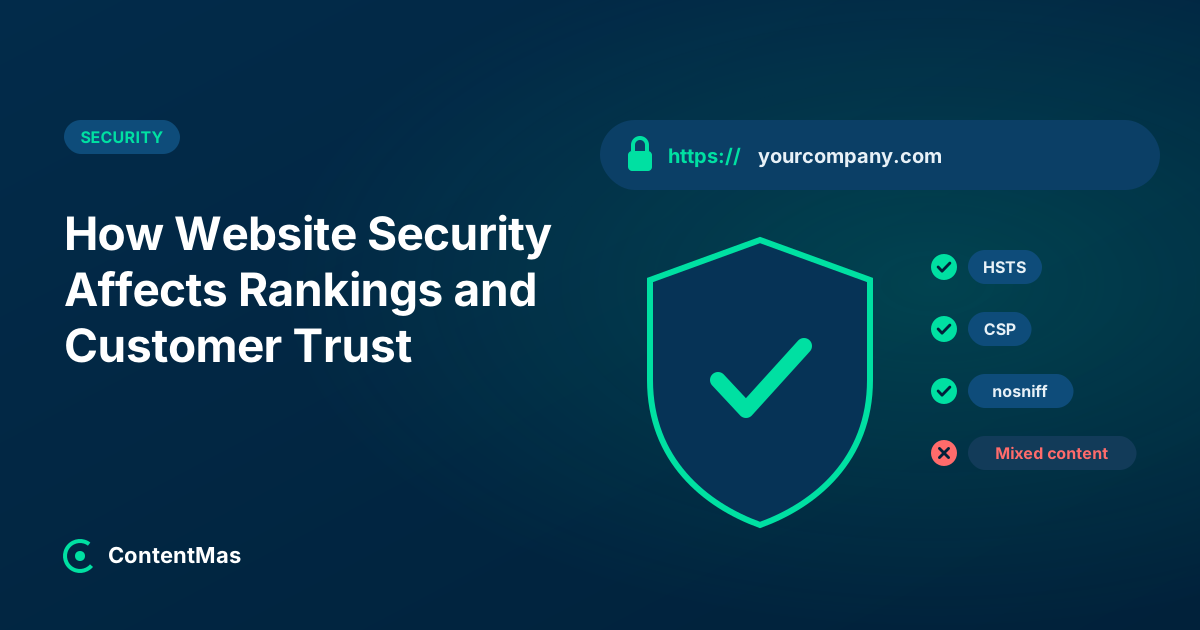
Not directly, as far as Google has said publicly. Security headers are a defense layer: they reduce the damage if something else goes wrong, which protects the rankings and trust you already have. Few sites use them. The 2024 Web Almanac found HSTS on 34% of desktop responses, X-Content-Type-Options on 48%, Referrer-Policy on 17%, and CSP on 19% of hosts.4
What each one does, in plain words:
- HSTS (Strict-Transport-Security) tells the browser to use only HTTPS for your site, instead of trying HTTP first.4
- Content-Security-Policy (CSP) lists which sources may load scripts and other files on your pages. It limits what injected code can do.
- X-Content-Type-Options: nosniff tells the browser not to guess file types, which blocks some file-type tricks.
- Referrer-Policy controls how much of your URL is shared with other sites when a visitor clicks away.
We recommend adding them one at a time and testing after each. A strict CSP can break analytics, chat widgets or forms if it is set too tight.
Exposed secrets deserve their own mention. Payment, email or AI service keys pasted into front-end JavaScript can be read by anyone who views the page source. Keep them on the server and rotate any key that was ever public.
What does a website security audit find?
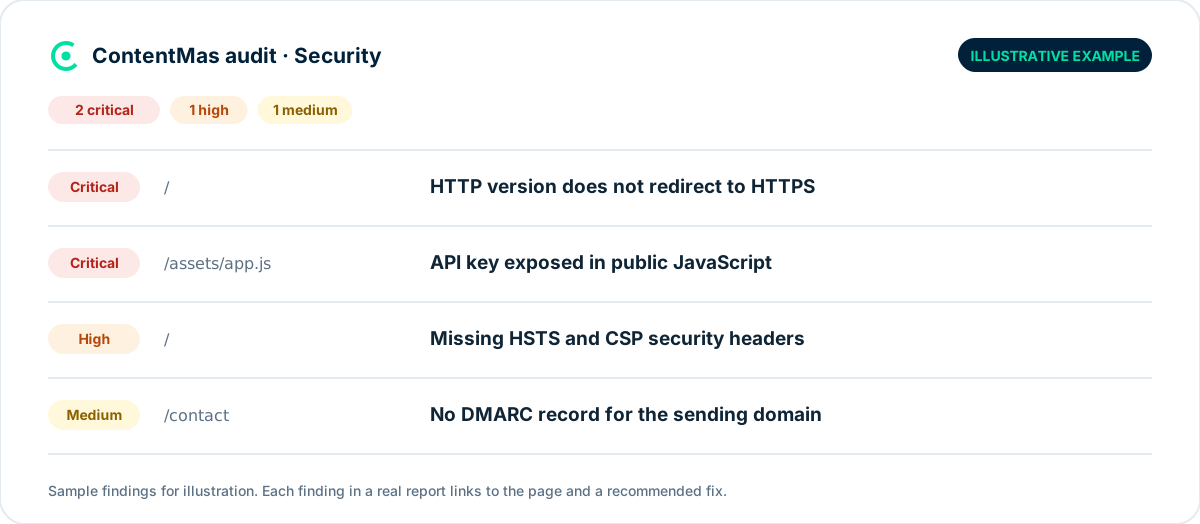
A security audit usually finds a handful of small, fixable gaps rather than one dramatic hole. On small business sites, the common ones are missing security headers, an HTTP version that does not redirect, files that should never be public, and email domains without DMARC.
Website security checklist you can do today
- Open your site in Chrome and check the address bar on the home page, pricing page, contact page and one old blog post.
- Type
http://before your domain and confirm it redirects to the HTTPS version. - In Google Search Console, open the Security issues report, the Manual actions report and the HTTPS report.36
- Search Google for
site:yourdomain.comand scan for pages or titles you never wrote. - Update WordPress, every plugin and every theme. Delete what you don't use.
- Check your response headers with your browser's developer tools (Network tab) and note which of the four headers above are missing.
- View the page source and search for words like
key,secretortokenin scripts you wrote. - Add CAPTCHA or a similar check to public forms.
How ContentMas checks this
The Security pillar in a ContentMas audit asks one question: is the site safe for visitors and their data? It looks at HTTPS, certificates and security headers, at exposed files, secrets or credentials in the front end, and at email and domain authentication (SPF, DKIM and DMARC). Each finding gets a priority (critical, high, medium or low) and a fix recommendation, so you know what to do first. The other five pillars run in the same scan. See How we score for how findings become scores, or run a free audit on up to 50 pages, no credit card needed.
Related reading: Which pages should a website audit check first? · Can AI crawlers read your website? · Trust signals and AI recommendations
Frequently asked questions
Does HTTPS improve Google rankings?
A little. Google called HTTPS a very lightweight signal when it launched in 2014.12 It will not lift a weak page, but nearly every competitor already has it,4 and Chrome is moving toward warning before HTTP sites.5
Can a hacked website be removed from Google?
Yes. Google says sites that break its spam policies, including hacked content, may rank lower or not appear at all, and may get a manual action.7 After cleanup, you request a review in Search Console, which can take days or weeks.6
How do I know if my website has been hacked?
Check the Security issues and Manual actions reports in Search Console, and search site:yourdomain.com for pages you never created.6 SEO spam is often hidden from normal visitors,8 so a site that looks fine in your browser can still be compromised.
What is mixed content and does it matter?
Mixed content is an HTTPS page that loads images, scripts or styles over plain HTTP. Browsers may block those files or show the page as not fully secure. We recommend fixing it because it breaks the padlock visitors expect.
Are security headers a ranking factor?
Google has not said that security headers are a ranking factor. They matter because they make attacks harder, and attacks are what lead to hacked content, warnings and lost rankings.7 Most sites still lack them.4
References
Each numbered marker in the article links to its source below.
-
Google Search Central Blog — HTTPS as a ranking signal (opens in a new tab), August 2014. ↩
-
Search Engine Roundtable — Going HTTPS/SSL Will Now Give You A Ranking Benefit In Google (opens in a new tab), August 2014. ↩
-
Google Search Central — Understanding page experience in Google Search results (opens in a new tab), September 2026. ↩
-
HTTP Archive — Security, Web Almanac 2024 (opens in a new tab), November 2024. ↩
-
Google Online Security Blog — HTTPS by default (opens in a new tab), October 2025. ↩
-
Search Console Help — Security issues report (opens in a new tab). ↩
-
Google Search Central — Spam policies for Google web search (opens in a new tab), August 2026. ↩
-
Sucuri — 2024 Global Website Threat Report (opens in a new tab), covering January–December 2024. ↩
-
Patchstack — State of WordPress Security in 2026 (opens in a new tab), February 2026. ↩
-
Verizon — Verizon's 2025 Data Breach Investigations Report: Alarming surge in cyberattacks through third-parties (opens in a new tab), April 2025. ↩
About this article
Written by the ContentMas Team, the people who build ContentMas, a website audit tool that checks sites across six pillars for search engines and AI assistants. Facts and figures link to their original sources in the References. Spotted something out of date? Tell us and we will correct it.
Free website audit
See how your site scores for search engines and AI assistants.
One score, six pillar scores and a ranked fix list in a few minutes. No credit card.
Start free audit