
Audits
Website audit checks: why 600+, and what they cover
Google runs 17 named ranking systems, 16 spam policies and 38 self-assessment questions; audit tools run 140 to 300+ checks. Why a website audit needs hundreds of checks, and what they cover.

Summarize with AI
Short on time? Open this article in your AI assistant with a ready-made prompt.
- ChatGPT (opens in a new tab with a summary prompt)
- Perplexity (opens in a new tab with a summary prompt)
- Grok (opens in a new tab with a summary prompt)
Claude and Gemini open with the prompt copied: paste it to start.
On this page
- What is a website audit check?
- Why does a website audit need hundreds of checks?
- How many checks do website audit tools run?
- What do website audit checks cover?
- Why are more checks not automatically better?
- How do you read a website audit with 600 checks?
- How does ContentMas help with website audit checks?
- Key takeaways
- Frequently asked questions
Short answer
In short: website audit checks are single tests, each asking one question about one page or one site, and a serious audit needs hundreds of them because the systems that decide where a page appears look at hundreds of things. Google's own guide names 17 current ranking systems that "look at many factors and signals,"1 its spam policies list 16 separate practices that can demote or remove a site,2 and its guidance for content asks publishers to answer roughly 38 self-assessment questions about quality, expertise and trust.3 The audit tools most teams know run between 140 and 300+ checks on the technical side alone,456 before anyone has looked at whether the content is current, credible or readable by the crawlers of AI search engines.7 A 600+ check audit is what you get when technical, content, trust, freshness, SEO and GEO (Generative Engine Optimization) and security checks are all run on the same pages.
If you have run a free site scan lately, you have seen a number. 83 out of 100. 412 issues found. 27 errors, 140 warnings, 245 notices. The first question most website owners ask is a fair one: do we really need this many checks, or is the tool padding the list?
Both answers are partly right. The systems that judge a page look at a great deal, so a short checklist misses things that cost rankings and citations. A long list of findings, though, is only useful when it is grouped, ranked and explained. This guide covers what a check is, why the count has to be high, how many checks the common tools run, what they cover, and how to read a report with hundreds of lines without losing a week.
What is a website audit check?
A website audit check is one test with one answer: a page has a title tag or it does not; the largest element on a mobile screen loads within 2.5 seconds or it does not; a page names its author or it does not. An audit is a set of those tests run on a set of pages, with the results grouped into findings and sorted by how much they matter.
The tools agree on the shape. Semrush publishes "the list of all errors, warnings, and notices that Site Audit can identify on a website."4 Ahrefs splits findings the same way: "Errors (red) - The most important and need to be fixed as soon as possible," "Warnings (yellow) - Not as critical, but still require a fix," and "Notices (blue) - Work as a nudge."5 A check is small by design; the value of an audit is the coverage of the whole set.
Why does a website audit need hundreds of checks?
Because the systems deciding whether your page is shown, ranked or cited each look at many things. Four public documents from Google make the point without any audit vendor's help.
First, ranking is not one algorithm. Google's guide to its ranking systems opens by saying it "uses automated ranking systems that look at many factors and signals" across "hundreds of billions of web pages and other content in our Search index,"1 and it then describes 17 current systems by name: BERT, crisis information systems, deduplication systems, the exact match domain system, freshness systems, link analysis systems and PageRank, local news systems, MUM, neural matching, original content systems, removal-based demotion systems, the passage ranking system, RankBrain, reliable information systems, the reviews system, the site diversity system and spam detection systems.1 Each responds to different properties of a page: how original it is, how recent, how it is linked, whether it duplicates another page, whether it is spam.
Second, eligibility has three layers. Google's Search Essentials "make up the core parts of what makes your web-based content" "eligible to appear and perform well on Google Search," and they come in three parts: technical requirements ("What Google needs from a web page to show it in Google Search"), spam policies, and key best practices.8 The best practices alone cover helpful content, the words people search with in prominent places, crawlable links, images, videos, structured data and JavaScript, search features, and controlling what should not be found.8 Each of those is several checks, not one.
Third, the spam policies are long. Google's current list names 16 practices, from cloaking, keyword stuffing and link spam to hacked content, malicious practices, scaled content abuse, scraping, sneaky redirects and thin affiliation, plus other practices that can lead to demotion or removal.2 Hacked content and malicious practices are security problems first and ranking problems second, which is why a security scan belongs inside an SEO audit rather than next to it.
Fourth, quality is a questionnaire. Google's page on creating helpful, reliable, people-first content, updated in October 2026, asks publishers to self-assess with around 38 questions, such as "Does the content provide original information, reporting, research, or analysis?", "Does the content have any easily-verified factual errors?", "Is it self-evident to your visitors who authored your content?" and "Is the content produced well, or does it appear sloppy or hastily produced?"3 It adds that "Google's core ranking systems look to reward content that provides a good page experience," and on E-E-A-T it says, "Of these aspects, trust is most important."3 A tool cannot answer every one of those questions, but it can test the observable ones on every page: author, date, sources, consistency, readability, page experience.
Add the AI layer and the count grows again. Google says "There are no additional requirements to appear in AI Overviews or AI Mode, nor other special optimizations necessary," and "There's also no special schema.org structured data that you need to add," but it also explains that these features "may use a 'query fan-out' technique," issuing "multiple related searches across subtopics and data sources" before writing an answer.9 Other AI search engines have their own crawlers with their own rules: OpenAI's "OAI-SearchBot is used to surface websites in search results in ChatGPT's search features," ChatGPT-User fetches pages when a user asks and "is not used for crawling the web in an automatic fashion," and GPTBot "is used to crawl content that may be used in training our generative AI foundation models," with "Each setting is independent of the others."7 Whether each agent is allowed, blocked or accidentally blocked is three checks on its own.
How many checks do website audit tools run?
Between about 140 and more than 300 for the established technical tools, by their own counts, and the counts are not directly comparable because each vendor decides what one "issue" is.
| Tool | Checks, as stated by the vendor | What the count covers |
|---|---|---|
| Semrush Site Audit | "over 140 unique issues related to website health and structure"4 | Crawlability and architecture, on-page SEO and content, technical SEO, HTTPS, international SEO, AMP, performance, internal linking and an "AI Search" group4 |
| Ahrefs Site Audit | "170+ pre-defined technical and on-page SEO issues"5 | Technical and on-page SEO, grouped into errors, warnings and notices; only errors lower the Health Score5 |
| Screaming Frog SEO Spider | "over 300 SEO issues, warnings and opportunities"6 | Crawl data: broken links, redirects, titles and descriptions, duplicates; free up to 500 URLs per crawl6 |
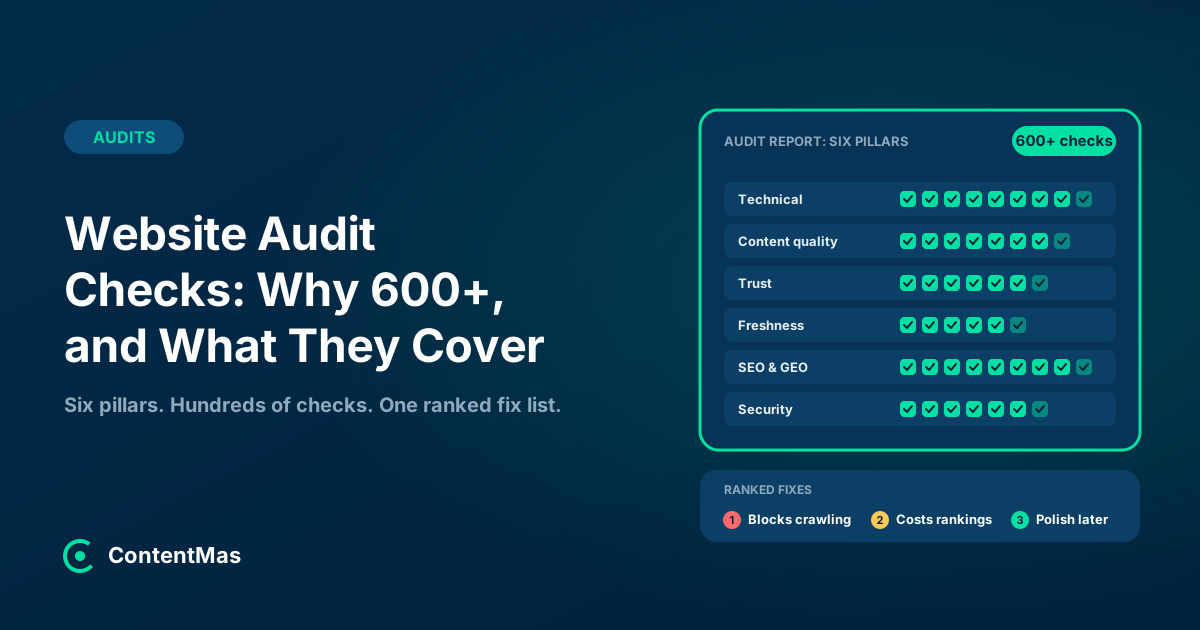
| ContentMas | 600+ KPIs | Six pillars: Content Freshness, Content Quality, Trust & Authenticity, SEO & GEO Readiness (GEO means Generative Engine Optimization), Technical Readiness, Security |
Source: each tool's own documentation or product page, opened in November 2026.456 Counts change with releases, and "one issue" in one tool can be three in another.
The technical tools are deep in their lane: Semrush covers "over 20 of the most important common issues" in crawlability alone,4 and Screaming Frog reaches 300 by counting warnings and opportunities as well as errors.6 But the lane is technical and on-page SEO. Whether an article's statistics are 4 years old, whether a page names its author, whether a claim is sourced, or whether GPTBot is blocked while OAI-SearchBot is allowed are outside the count. A 600+ check audit is larger because it adds those columns, not because it checks title tags 4 different ways.
What do website audit checks cover?
Six areas: technical health, content quality, trust, freshness, visibility in Google and AI search engines, and security. Here is what the checks in each area test and why each count is higher than it first looks.
Technical checks: can the page be fetched, rendered and ranked?
These are the checks the established tools do best: status codes, redirects, robots.txt rules, canonical tags, sitemaps, broken links, duplicate URLs, mobile rendering and page speed. There are so many because each failure has variants. Screaming Frog lists finding "broken links (404s) and server errors," "temporary and permanent redirects," "redirect chains and loops" and "exact duplicate URLs with an md5 algorithmic check" as separate jobs.6
Page experience adds measured thresholds. Google's Core Web Vitals are three metrics with three "good" lines: "LCP should occur within 2.5 seconds of when the page first starts loading," "pages should have an INP of 200 milliseconds or less," and pages should keep a CLS of 0.1 or less, measured at "the 75th percentile of page loads, segmented across mobile and desktop devices."10 Three metrics and two device types make 6 checks before the diagnostics that explain a failure. And Google ties page experience to ranking: "Google's core ranking systems look to reward content that provides a good page experience."3
Content quality checks: is the page worth ranking?
Google's self-assessment questions are the clearest public statement of what quality means, and many of them can be tested. "Does your site have a primary purpose or focus?" becomes a topic consistency check. "Would you expect to see this content in or referenced by a printed magazine, encyclopedia, or book?" becomes checks for depth, originality and sourcing.3 A tool can also measure what Google's spam policies prohibit, such as keyword stuffing and scaled content abuse,2 by looking at repetition, boilerplate and thin pages. See thin content and why it fails for the detail on that group.
Trust checks: who is behind the page?
Trust is the pillar Google ranks first among the E-E-A-T aspects: "Of these aspects, trust is most important."3 Its questions include "Is it self-evident to your visitors who authored your content?" and its guidance asks you to evaluate content in terms of "Who, How, and Why."3 Audit checks here test for a visible author and bio, an about page, contact details, policies, outbound citations and whether structured data matches the page, since "Making sure your structured data matches the visible text on the page" is Google's own advice for AI features.9
Freshness checks: is the page current?
Freshness systems are one of Google's 17 named ranking systems.1 Checks in this area look for visible dates, the gap between a stated date and the actual content, references to events and statistics that have since changed, broken outbound links and stale structured data. The signs a website is out of date guide lists what readers notice first.
SEO and GEO readiness checks: can Google and AI search engines find and cite it?
Classic SEO checks (titles, descriptions, headings, internal links, structured data) sit here with the GEO checks. Because Google's AI features fan out into "multiple related searches across subtopics and data sources,"9 GEO checks test whether a page answers one question directly, covers its subtopic fully and can be quoted in a sentence or two. Crawler access is a separate set: which of Google's crawlers, OpenAI's three agents7 and the other AI search engine bots are allowed, and whether a CDN or firewall rule blocks them without anyone knowing.
Security checks: is the site safe to send a visitor to?
Hacked content and malicious practices are grounds for demotion or removal under Google's spam policies,2 and the technical tools already treat HTTPS as its own group: Semrush has "a dedicated report showing all of your HTTPS-related issues."4 Security checks go further: certificate validity, mixed content, security headers, exposed admin paths, outdated software and malware signatures. Each is a yes-or-no test, and together they are several dozen.
Why are more checks not automatically better?
Because the reader is a person with limited time, and 600 unranked findings are worse than 60 ranked ones. What makes an audit usable is severity, grouping and evidence.
Severity first. Ahrefs makes the point in its scoring: "Only "Error" (red) issues lower health score,"5 so a site with 400 notices and no errors is healthy by that measure. Semrush says "Errors will have a higher impact on your Site Health Score than warnings."4 Whatever the scale, the fix list should start with the findings that block crawling, break pages or expose visitors, then the ones that cost rankings, then the polish.
Variance second. Speed numbers depend on how they were measured. Google judges Core Web Vitals at "the 75th percentile of page loads, segmented across mobile and desktop devices,"10 so a single lab run on one simulated device is a sample, not the figure Google uses. A good report says which findings are stable and which need several runs or field data.
Coverage of pages third. Checks multiply by pages. 600 checks on 10 pages is 6,000 answers, and the useful question is which pages to scan at all. The which pages to audit first guide answers that: the homepage, the pages that earn money, the pages that rank, and the pages AI assistants already cite.
How do you read a website audit with 600 checks?
Read it as three lists, not one. The pattern below works with any tool.
Step 1: Fix what blocks (an afternoon)
Pages that return errors, pages blocked by robots.txt or a noindex by mistake, broken HTTPS, hacked or injected content, and AI crawlers blocked unintentionally. These are the findings that make every other check irrelevant until they are fixed.
Step 2: Fix what costs rankings and citations (a week)
Pages that miss their Core Web Vitals thresholds at the 75th percentile,10 pages without a clear answer in the first paragraph, pages without an author or date, pages with stale statistics, thin or duplicated pages, and structured data that does not match the visible text.9 Work through them by page value, not by issue count.
Step 3: Schedule the rest (ongoing)
Notices and opportunities, such as long titles, missing alt text on decorative images or minor redirect chains. Batch them into regular maintenance and re-audit on a schedule, since freshness is itself a ranking system1 and every content change creates new findings. The content audit checklist gives a repeatable routine for that.
How does ContentMas help with website audit checks?
ContentMas is an AI-powered SEO tool that audits your website for Google and AI search engines, and shows exactly what to fix to rank higher and get cited. It reads your key pages the way Google and AI search engines such as ChatGPT, Gemini and Perplexity read them, and runs 600+ KPIs across six pillars: Content Freshness, Content Quality, Trust & Authenticity, SEO & GEO Readiness (visibility in Google and AI search engines; GEO means Generative Engine Optimization), Technical Readiness and Security. Every finding carries its evidence from the page and a fix, and the report is ranked so the blocking problems come first.
The free plan reads up to 10 pages per scan, 3 scans per 24 hours; paid plans read 100, 200 or 500 pages. See how we score or run an audit.
Key takeaways
- A website audit check is one test with one answer; an audit is hundreds of them, grouped and ranked. The count matters because the systems judging a page look at many things.1
- Google alone gives four reasons for a long checklist: 17 named ranking systems,1 Search Essentials with technical requirements, spam policies and key best practices,8 16 spam policies,2 and around 38 self-assessment questions on helpful content.3
- The established technical tools run 140 to 300+ checks by their own counts (Semrush over 140, Ahrefs 170+, Screaming Frog over 300),456 almost all of them technical and on-page SEO.
- A 600+ check audit is larger because it adds content quality, trust, freshness, AI crawler access and security to the technical set, not because it repeats the same technical checks.
- More checks only help when findings are ranked by severity, separated from measurement noise,510 and run on the pages that matter most.
The number on the report is not the point. Coverage is what finds the problem you did not know about, and ranking is what lets you fix it before the next one. Pick an audit that does both, run it on the pages that earn your visits and citations, and treat the long list as a schedule rather than a verdict.
Related reading: The Content Audit Checklist Every Marketing Team Needs and Which Pages Should a Website Audit Check First?
The six-pillar guides: Technical · Content quality · Trust · Freshness · Security · SEO and GEO · How ContentMas scores each pillar
Frequently asked questions
How many checks should a website audit include?
Enough to cover the six areas that decide visibility: technical health, content quality, trust, freshness, visibility in Google and AI search engines, and security. The technical tools alone run 140 to 300+ checks,456 and Google's own guidance names 17 ranking systems, 16 spam policies and around 38 content quality questions,132 so an audit that covers all six areas lands in the hundreds.
What is the difference between an error, a warning and a notice in an audit?
They are severity levels. Ahrefs defines errors as "The most important and need to be fixed as soon as possible," warnings as "Not as critical, but still require a fix," and notices as items that "Work as a nudge," and only errors lower its Health Score.5 Semrush uses the same three levels and says errors weigh more than warnings in its Site Health Score.4 Fix errors first, then warnings by page value, then batch the notices.
Does Google use the same checks as audit tools?
Not literally. Google describes systems and policies, not a checklist: 17 named ranking systems,1 the three parts of Search Essentials,8 its spam policies2 and the self-assessment questions for helpful content.3 Audit tools translate the observable parts of that guidance into tests. A tool can check for a visible author, a date, Core Web Vitals thresholds10 or blocked crawlers; it cannot see how Google weighs them.
Do I need separate checks for AI search engines?
Partly. Google says there are no additional requirements to appear in AI Overviews or AI Mode and no special structured data to add,9 so the Google checks carry over. What is new is crawler access: OpenAI alone uses three agents, OAI-SearchBot for search, ChatGPT-User for pages a user asks about and GPTBot for training, and each is controlled separately in robots.txt.7 An audit should test each of them, and the equivalent bots from other AI search engines.
Why does my audit score change between runs?
Usually because of measurement conditions, not your site. Speed checks run in a lab vary with the network and the device used, while Google judges Core Web Vitals at the 75th percentile of real page loads, split by mobile and desktop.10 Compare trends over several runs, or field data where you have it, rather than reacting to one number.
References
Each numbered marker in the article links to its source below.
-
Google Search Central — A guide to Google Search ranking systems (opens in a new tab), December 2025. ↩
-
Google Search Central — Spam policies for Google web search (opens in a new tab), August 2026. ↩
-
Google Search Central — Creating helpful, reliable, people-first content (opens in a new tab), October 2026. ↩
-
Semrush — What Issues Can Site Audit Identify? (opens in a new tab), accessed November 2026. ↩
-
Ahrefs — What is Health Score and how is it calculated in Ahrefs Site Audit (opens in a new tab), September 2026. ↩
-
Screaming Frog — SEO Spider Website Crawler (opens in a new tab), November 2026. ↩
-
OpenAI — Overview of OpenAI crawlers (opens in a new tab), accessed November 2026. ↩
-
Google Search Central — Google Search Essentials (opens in a new tab), December 2025. ↩
-
Google Search Central — AI features and your website (opens in a new tab), December 2025. ↩
-
web.dev — Web Vitals (opens in a new tab), October 2024. ↩
About this article
Written by Nasir Ali Joiya. Nasir Ali Joiya is a software engineer and the CEO and Co-Founder of ZAPTA Technologies, an AI-native software company in Lahore whose group has more than 150 engineers. Reviewed by the ContentMas Team, who build ContentMas, an AI-powered SEO audit tool that checks sites across six pillars for Google and AI search engines. Facts and figures link to their original sources in the References. Spotted something out of date? Tell us and we will correct it.
Free website audit
See how your site scores for search engines and AI assistants.
One score, six pillar scores and a ranked fix list in a few minutes. No credit card.
Start free audit